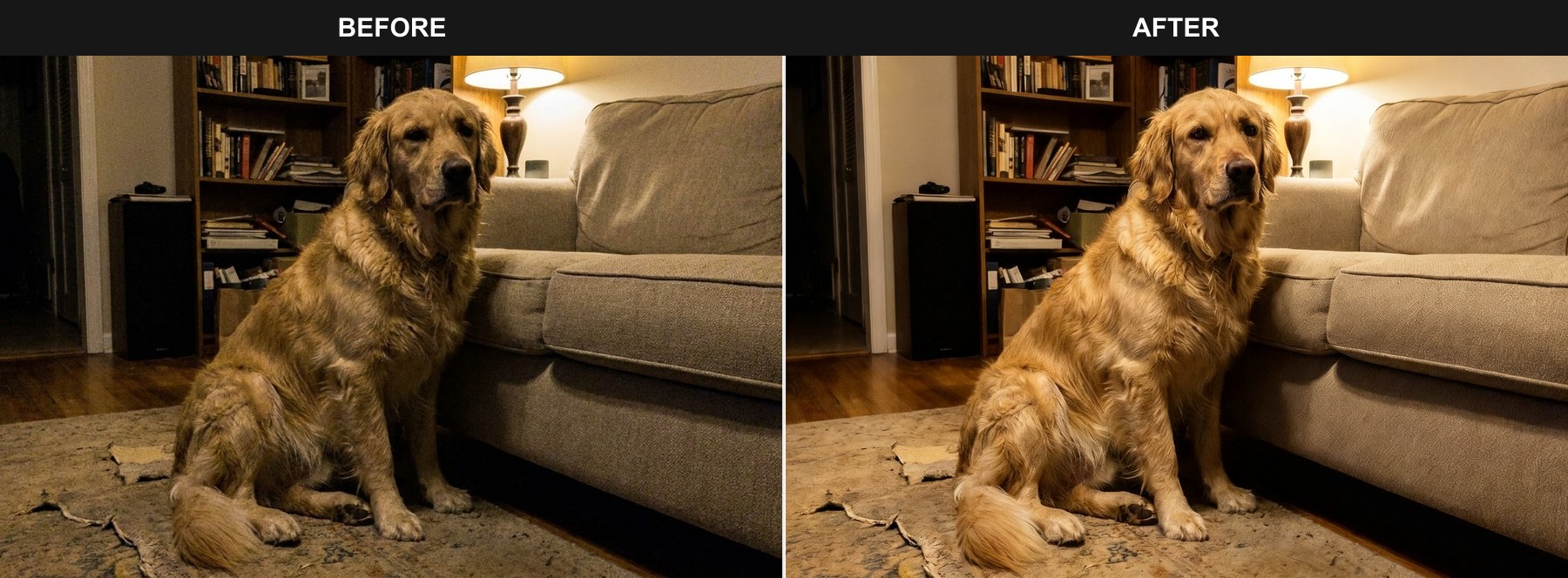
Fix low light and color cast
Recover visible eyes, natural fur color, and balanced exposure from a dim indoor snapshot.
Make a similar edit →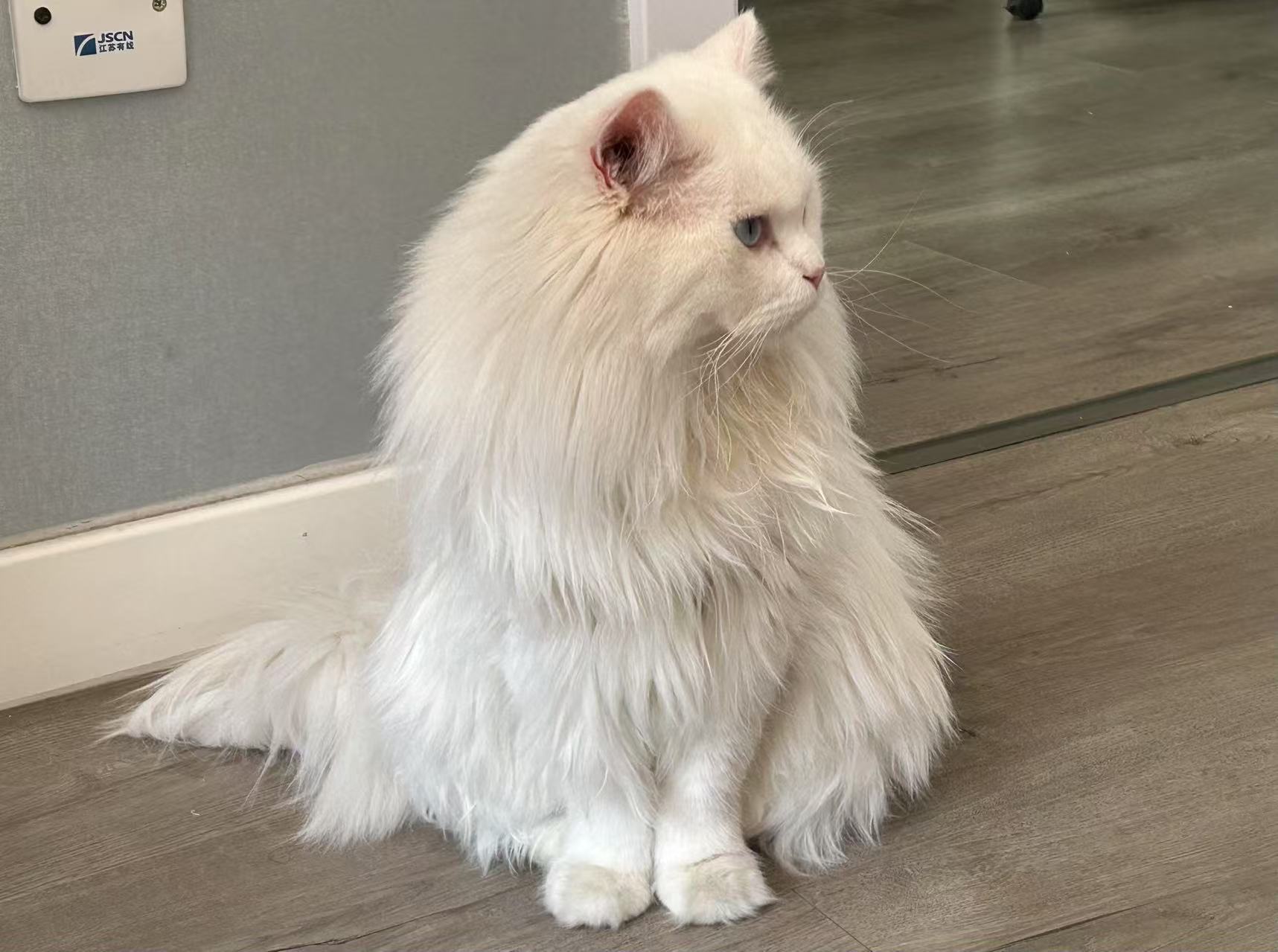
AI pet retouching · Beta
Turn a poorly timed phone snapshot into a pet photo worth keeping. Improve light, color, expression, pose, fur, and distractions while working to preserve the pet you recognize.
Real beta generation · Before/after comparison · 1 credit per successful result
Real before-and-after examples
These examples were created with the same retouching workflow available below. Results vary by photo, especially for stronger expression or motion edits.
Recover visible eyes, natural fur color, and balanced exposure from a dim indoor snapshot.
Make a similar edit →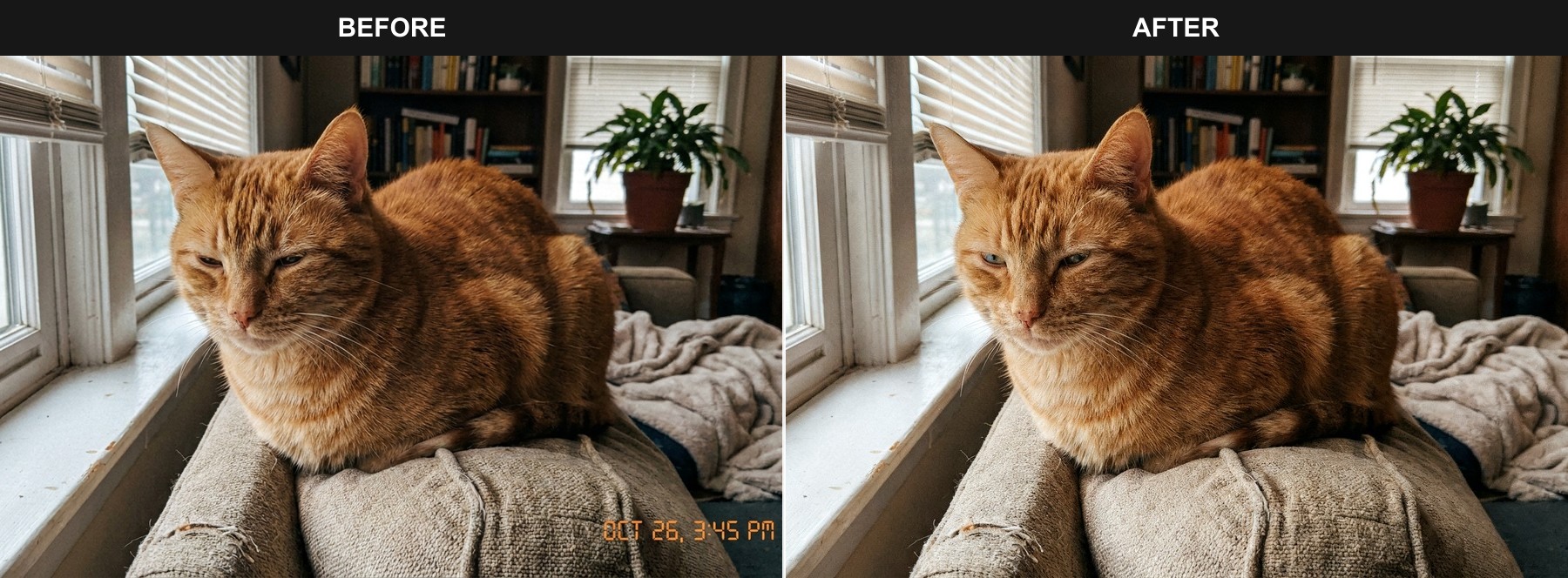
Gently improve an awkward split-second expression while keeping the pet and scene recognizable.
Make a similar edit →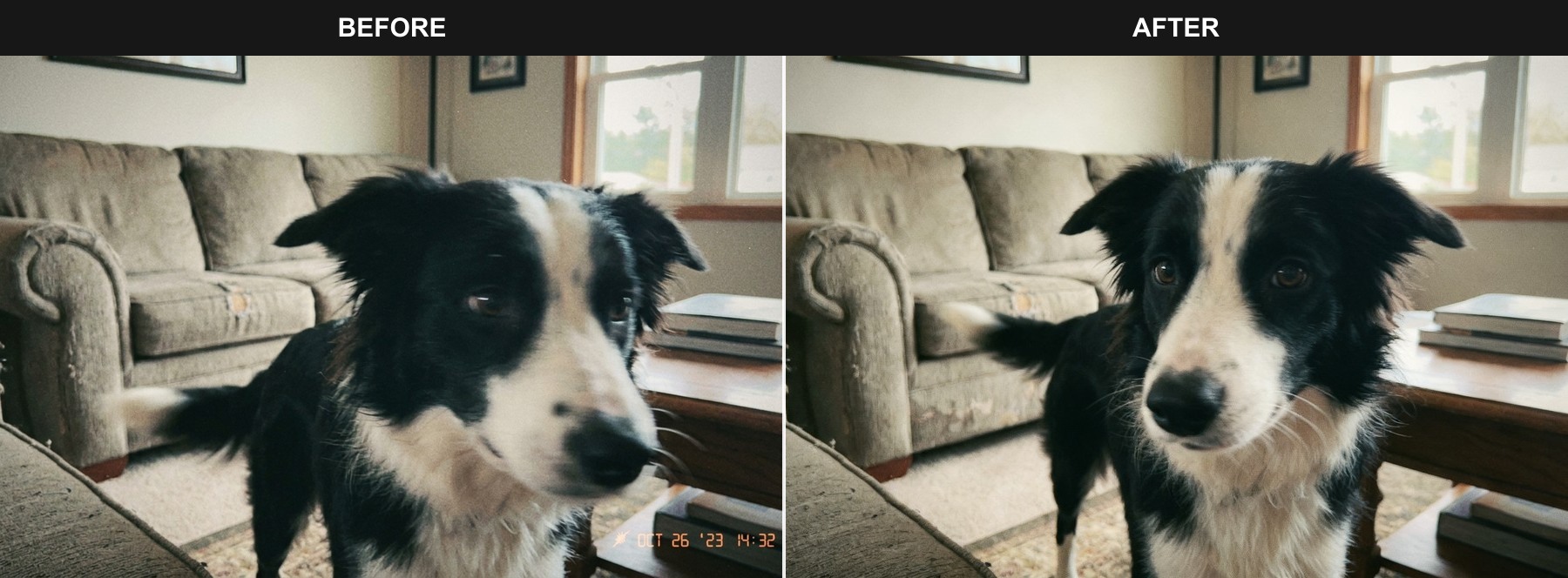
Restore useful eye and fur detail when a moving pet was captured slightly out of focus.
Make a similar edit →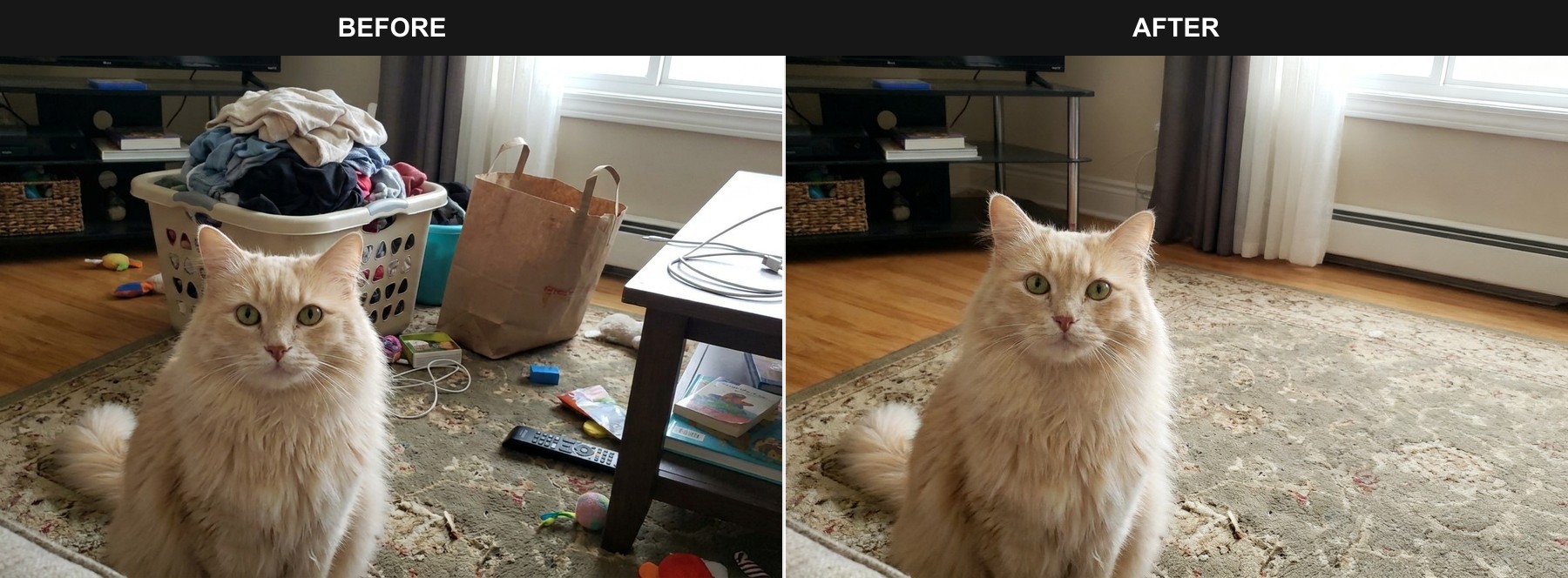
Remove household clutter while preserving the pet, room, lighting, and camera perspective.
Make a similar edit →Pet-specific retouching
Like human portrait retouching, SoulPaw improves an imperfect capture—but focuses on the fur, face, markings, ears, and expression that make each pet recognizable.
Improve light, color, eye clarity, fur detail, and the overall look of an imperfect phone snapshot.
Recover a natural, alert expression when the shutter caught closed eyes or a tired split second.
Make an awkward action shot look more balanced while keeping the pet recognizable.
Reduce background clutter, unrelated people, objects, or visible leash elements.
Correct dim light, color casts, and flat contrast for a more natural-looking photo.
Live beta
Upload one photo, choose the improvement and strength, then compare the original with the generated result. You can also describe a specific request.
1 · Add a photo
Your photo is uploaded only when you generate.
2 · Choose the improvement
Retouching strength
Beta results may slightly change fine details. Successful generation costs 1 credit.
A useful dog or cat photo editor should do more than apply a filter. It should understand why an image nearly works: the pet looks perfect, but the room is messy; a person appears in the background; a leash crosses the body; or indoor light hides the eyes and fur.
This beta now produces a real generated result. Natural strength is best for light and color; stronger settings can improve expression or pose but carry a higher risk of changing fine details.
An AI pet photo editor is designed to improve a pet photo by removing distractions, cleaning a background, enhancing detail, or correcting light while keeping the pet recognizable.
Yes. The editor can generate a cleaned-up version of an uploaded pet photo. Because this is a generative beta, fine details may change and results should be reviewed before use.
The cleanup mode can request removal of people, objects, clutter, or leash elements. Difficult overlaps with fur or the pet’s body may not be reconstructed perfectly.
The editor instructs the model to preserve face shape, eye color, fur, markings, ears, and body proportions. Generative editing can still change fine details, especially at stronger settings.
Each successful beta generation uses 1 SoulPaw credit. Uploading and configuring an edit does not use a credit.